Best Free Keyword Research Tools in 2026: Find High-Traffic Keywords Without Paying a Cent
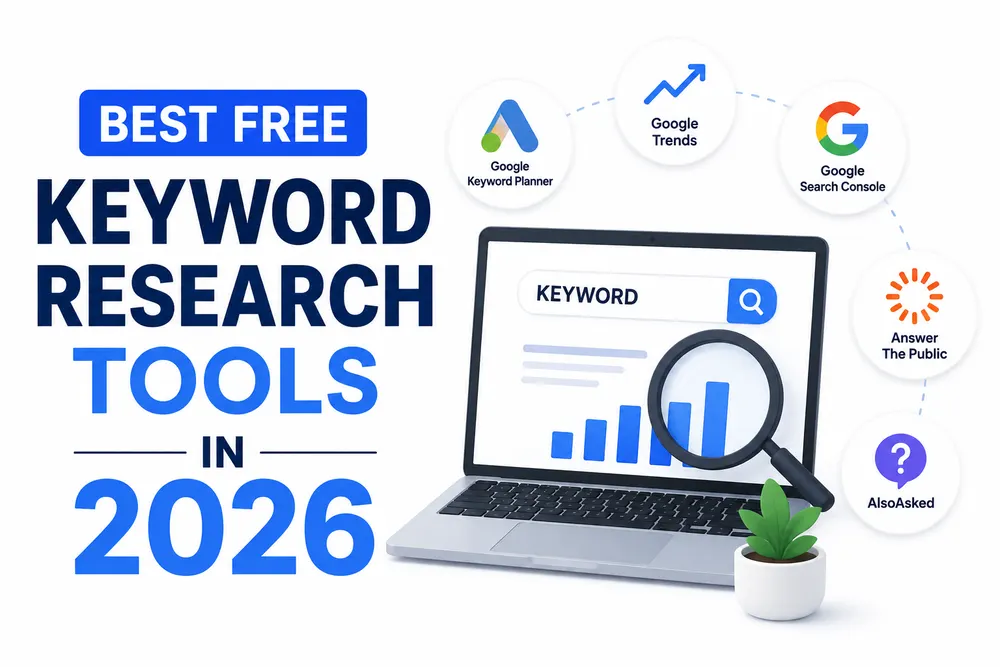
Searching for the best free keyword research tools in 2026 usually starts because a paid subscription feels like overkill before you've even published your first post. Fair enough tools like Ahrefs and Semrush are genuinely useful, but they're not required to get started. A handful of free tools, used together in the right order, can get you a surprisingly complete picture of what people are actually searching for and how competitive those terms really are.
This isn't a list of twenty tools you'll never open twice. It's a focused breakdown of the free tools worth your time, what each one is actually good for, and how to stitch them together into something that works like a real research process instead of a scattered set of separate searches.
Why Free Tools Still Get the Job Done
Paid tools mainly win on two things: exact search volume numbers and large-scale competitor analysis. For beginners, small sites, or anyone just testing a new niche, neither of those matters as much as people assume. What actually moves the needle early on is finding realistic, low-competition keywords that match what your audience is genuinely searching for and free tools handle that part just fine.
The tradeoff is time. Free tools usually mean more manual digging instead of one dashboard spitting everything out instantly. That's a fair trade if you're not publishing at a massive scale yet.
The Core Free Tools Worth Using
|
Tool |
What It's Good For |
Best Used For |
|
Google Keyword Planner |
Search volume ranges, straight from Google's own ad data |
Starting point for any new topic |
|
Google Search Console |
Keywords your site already gets impressions for |
Finding "almost ranking" opportunities on an existing site |
|
Google Trends |
Seasonal patterns and rising search interest |
Timing content around demand spikes |
|
Google Autocomplete |
Real phrases people actually type |
Quick, informal long-tail discovery |
|
"People Also Ask" boxes |
Related questions tied to a specific search |
Building FAQ sections and sub-topics |
|
AnswerThePublic (free tier) |
Question-based keyword clusters |
Understanding the "how, why, what" angles of a topic |
|
AlsoAsked (free tier) |
Visual map of related questions |
Spotting content gaps competitors haven't covered |
|
YouTube Search Suggest |
Keyword ideas specific to video content |
Anyone planning video alongside written content |
None of these need to be used in isolation. The real value shows up once you combine two or three of them into an actual workflow.
A Simple Free Research Workflow
Here's roughly how these tools fit together in practice, rather than just as a random list.
- Start with Google Keyword Planner to identify a handful of seed keywords with reasonable volume.
- Type each seed keyword into Google itself, and note everything that shows up in "People Also Ask."
- Scroll to the bottom of the results page and capture the "related searches" section too.
- Run the strongest seed terms through AnswerThePublic or AlsoAsked to surface question-based variations.
- If your site already has some traffic, check Search Console for queries you're getting impressions on but not clicks; these are often quick wins with a small content tweak.
- Use Google Trends to check whether interest in your shortlisted keywords is stable, rising, or seasonal before committing content resources to them.
This entire process takes maybe thirty to forty minutes per topic once you're used to it, and it consistently produces a list of realistic keywords rather than just the obvious, overly competitive ones everyone else is already targeting.
When Free Tools Start to Fall Short
Free tools have real limits, and it's worth knowing where they show up before you hit a wall mid-project.
|
Limitation |
Where It Shows Up |
Workaround |
|
Volume shown as broad ranges, not exact numbers |
Google Keyword Planner |
Use ranges directionally, don't obsess over precision |
|
Daily search limits |
AnswerThePublic, AlsoAsked free tiers |
Batch your research sessions instead of spreading them out |
|
No true keyword difficulty score |
Most free tools |
Manually check who's ranking and judge their domain strength |
|
No bulk export or automation |
Nearly all free options |
Fine for one site, tedious across multiple projects |
|
Limited competitor gap analysis |
Free tools generally |
Manually compare top-ranking pages instead |
None of these are dealbreakers for someone starting out. They mostly matter once you're managing keyword research across several sites or need to move faster than manual digging allows.
Free Tools You Might Be Overlooking
A few genuinely useful sources rarely make the "best tools" lists, mostly because they weren't built specifically for SEO.
Reddit and niche forums show you the exact language real people use when they're frustrated, confused, or actively looking for a solution language that often differs meaningfully from what a keyword tool suggests. Quora works similarly, especially for informational and how-to content. And increasingly, asking an AI chat tool to brainstorm keyword angles around a topic can surface phrasings a traditional keyword tool wouldn't think to suggest, though it's worth double-checking anything it gives you against actual search behavior rather than trusting it blindly.
Do You Actually Need to Upgrade to Paid Tools?
Eventually, maybe. It depends less on how long you've been doing SEO and more on how much content you're managing. A single blog publishing a few posts a month can realistically run entirely on free tools for quite a while. A site managing dozens of pages across multiple content clusters will hit friction faster, mostly around exact competitor data and time saved through automation, rather than anything free tools can't technically do at all.
Wrapping Up
Free keyword research tools genuinely hold up in 2026, especially for smaller sites or anyone still finding their footing with SEO. The tools themselves aren't the hard part, it's combining them into an actual repeatable process instead of treating each one as a separate, disconnected search. Start with a solid seed list, layer in question-based research, and keep an eye on what's already getting traction on your own site. That combination will carry most sites further than people expect before a paid tool becomes genuinely necessary.
Frequently Asked Questions
1. Can free keyword research tools really compete with paid ones?
Ans. For smaller sites and early-stage research, yes; paid tools mainly add exact data and automation at scale.
2. Which free tool should I start with?
Ans. Google Keyword Planner is the most reliable starting point since the data comes directly from Google.
3. How accurate is Google Keyword Planner's search volume?
Ans. It shows volume as a range rather than an exact number, but it's directionally reliable for planning purposes.
4. Is AnswerThePublic still useful with its free tier limits?
Ans. Yes, it's worth using in short, focused batches rather than relying on it for daily research.
5. Can I find low-competition keywords without a paid difficulty score?
Ans. Yes, manually checking who currently ranks for a term gives a reasonable sense of how competitive it is.
6. Should beginners skip paid tools entirely?
Ans. Not necessarily forever, but most beginners can build solid keyword lists with free tools for quite a while first.
7. Are Reddit and Quora legitimate keyword research sources?
Ans. Yes, they reveal natural language and real questions that traditional keyword tools sometimes miss entirely.
8. When is it worth switching to a paid keyword tool?
Ans. Once you're managing multiple content clusters or sites and manual research starts costing more time than it saves.