How to Do Keyword Research in 2026: The Complete Free and Paid Strategy Guide
Keyword research in 2026 still starts the same way it always has: figuring out what people...
Read More →Less time on the little things. Count, clean, convert and create with free SEO, text and content tools that get straight to work.
A simpler way through your to-do list.
Search for a task such as “count”, “title” or “HTML”.
Digitalaai brings together free SEO, text and content tools for specific editing and website tasks. Start with the result you need rather than opening several utilities at once. A word counter measures a draft, a case converter changes capitalization, and a metadata generator formats supplied details into a snippet. The category cards above provide a route to each tool, while the search field helps locate a familiar name or task. Each page explains its inputs, output rules and practical limitations so you can choose deliberately.
For example, preparing an article may involve checking its length, removing repeated spacing and drafting an accurate page description. Those are separate operations, and you do not have to perform every available check on every document. Keep the original text beside the working copy, select the utility relevant to the present task and compare the output before moving on. The collection is designed for small repeatable actions, not for automatically researching a topic, checking every fact or managing the complete publication process.
The content and writing category includes word, character, paragraph and sentence utilities, along with keyword checks and timing estimates. Choose the measurement that matches your requirement. A submission may specify words, while a form field may restrict characters. Spaces, punctuation and line breaks can affect these totals differently. Paste the exact material you intend to measure, and read the selected tool's explanation of its splitting rules before treating its result as the final number required by another system.
Character counting deserves particular care with emoji, Hindi text and combined Unicode characters. A visible symbol can contain several underlying units, so a simple string-length total may differ from a platform's own calculation. Reading and speaking estimates similarly apply a chosen pace to recognized words rather than observing comprehension, breathing or delivery. Use them to compare versions and plan a first draft of a schedule. For a timed presentation or a publisher's strict limit, verify the final result with the required submission system or an actual rehearsal.
Text formatting tools help with repetitive changes such as capitalization, line breaks, extra spaces and list ordering. Choose a small representative sample first, especially when names, abbreviations or meaningful whitespace matter. Converting a paragraph to lowercase can change a brand's intended spelling, and sorting words can separate the parts of a person's full name. The controls perform the stated operation on supplied text; they do not understand which portions you consider protected or which original relationships should be preserved.
A useful cleanup workflow begins with a saved original, followed by one change at a time. Remove unnecessary spaces, inspect the result and then apply a different transformation if needed. For line-based lists, retain one complete record per line before sorting. For a comma-separated output, check whether any original item already contains a comma. Review duplicates, blank entries and punctuation in the result rather than assuming a neat appearance proves the data is correct. Copy only the version that still communicates the intended information.
The SEO category provides tools for title and description drafts, keyword observations, slugs and technical markup. Write a page title that identifies the actual resource, then use a description to explain a useful detail about its purpose. A length check can help compare alternatives, but a fixed character band is not a guarantee of how a search result will display. Keep wording specific to the destination rather than repeating the same slogan on every route or adding terms that the content does not support.
Keyword counters can show repeated words or phrases under their documented matching rules. Use that information to improve clarity, not to chase an invented ranking percentage. Likewise, a readability figure is an estimate based on a particular calculation, not a verification of expertise or accuracy in every language. Review the actual explanation, examples and sources alongside any number. Preparing metadata is one part of maintaining a useful page; indexing, server responses, navigation and factual content still need their own checks before the page is published.
Canonical, language-alternate, robots and sitemap utilities format information you already know about a website. They do not discover every route, decide your preferred URL strategy or confirm the live server configuration. Identify the intended public addresses first and compare them with your site's actual routing. When preparing a sitemap manually, keep a maintained inventory of the preferred URLs and update it when pages are added, moved or removed. Entering the homepage into a small generator does not make it crawl the rest of the site.
Schema generators create JSON-LD drafts for the selected type, including Article, BreadcrumbList, FAQPage, Organization and WebPage. Supply values that match the visible page and inspect the generated object before integration. A basic form may omit relationships or properties your particular implementation needs. Copying a snippet does not install it on a server, verify an organization's identity or establish eligibility for a search feature. Validate the actual deployed output and keep metadata connected to the content revision so later changes do not leave unsupported statements behind.
The HTML category includes tools for extracting text, escaping characters, removing comments, preparing paragraphs and converting basic markup. Read the distinction between the operations before choosing one. Extracting text from HTML is different from preserving a document's layout, and escaping HTML characters is different from deciding whether an address or a claim is trustworthy. A converter can produce useful output while still having limited support for formatting features or complex syntax. Test the kinds of content you actually plan to process.
Review generated code in the environment where it will be used. A textarea preview does not reproduce a complete website, and a small Markdown converter is not a full document-import system. Minifying markup can also change meaningful spacing or line breaks, depending on the selected rules. Keep a readable source copy and compare the rendered result before replacing a template. Do not assume that a formatting operation sanitizes untrusted HTML or makes arbitrary scripts safe to execute; the destination needs an appropriate rendering and security workflow of its own.
The India-focused tools cover Hindi counting, Hinglish replacements and simple title or description checks. Their names do not mean that they verify an official announcement, translate every sentence or correct grammar in context. The Hindi Word Counter documents its punctuation rules, and the Hinglish cleaner uses a fixed set of substitutions. Try names, mixed scripts and the beginning or end of a sentence in a short sample so you understand which portions will change and which require manual editing.
Social counters help inspect a caption or video-metadata draft before transferring it to the destination. Their local character, word, hashtag and emoji rules are explained on the individual pages. A simple raw string count can differ from a platform's weighted calculation or account-specific publishing checks. Review the final draft in the native composer, including the actual media, title and description together. These utilities do not connect to an account, publish the post or predict reach; they support the measurement and editing of the text you supply.
For a reliable session, choose the tool, read its input rules, test a known sample and then process your working material. Compare the result with the original and repeat the action after changing a field if the page requires an explicit Generate, Convert or Calculate button. A displayed output can represent an earlier run rather than your latest edits. Copy accepted results into your own document or publishing workflow instead of treating an open browser tab as a saved version history.
Finish by checking the destination: a submission field, social composer, webpage template or public URL. Confirm that the relevant formatting and important details survived the transfer. Where a tool has a limitation, use the output only for the task it can support and complete the remaining review yourself. The useful outcome is a clear draft, accurate measurement or correctly integrated snippet. Using a collection of utilities does not guarantee traffic recovery or a ranking change, but careful, consistent checks can make everyday editing and site maintenance easier to manage.
Choose by the result you need. Use the Word Counter for draft length, a text converter for formatting, and the SEO or schema category for reviewed website metadata.
Type a name or task into the search field above the categories. Clear the query to show the tool cards again, or browse the category headings.
Not necessarily. Tools use their own splitting rules, while submission systems may exclude references or treat punctuation differently. Follow the required system for the final count.
Visible characters can contain several underlying Unicode units. Read the selected counter’s definition and verify strict limits in the destination application.
No. Capitalization, whitespace and list operations can change details intentionally. Keep the original and test representative names, punctuation and line breaks before processing the full draft.
No. They support individual drafting and checking tasks. Search performance also depends on the actual content, implementation, discoverability and the needs of the audience.
Review the values, syntax and destination first. A generator formats supplied information; it does not verify the page’s facts or automatically install and validate the snippet.
Yes. Use the preferred public URLs, keep the file valid and update it when the site changes. A manual sitemap and the three-row generator are separate ways to prepare an inventory.
No. They measure the supplied draft. Transfer the finished text to the destination composer and check its current validation, formatting and associated media there.
Do not rely on an open tool page as a saved archive. Keep source text and accepted output in your own document or publishing workflow, and copy anything needed before resetting.

Keyword research in 2026 still starts the same way it always has: figuring out what people...
Read More →
Learning how to write SEO content in 2026 means unlearning a fair bit of what used to pass...
Read More →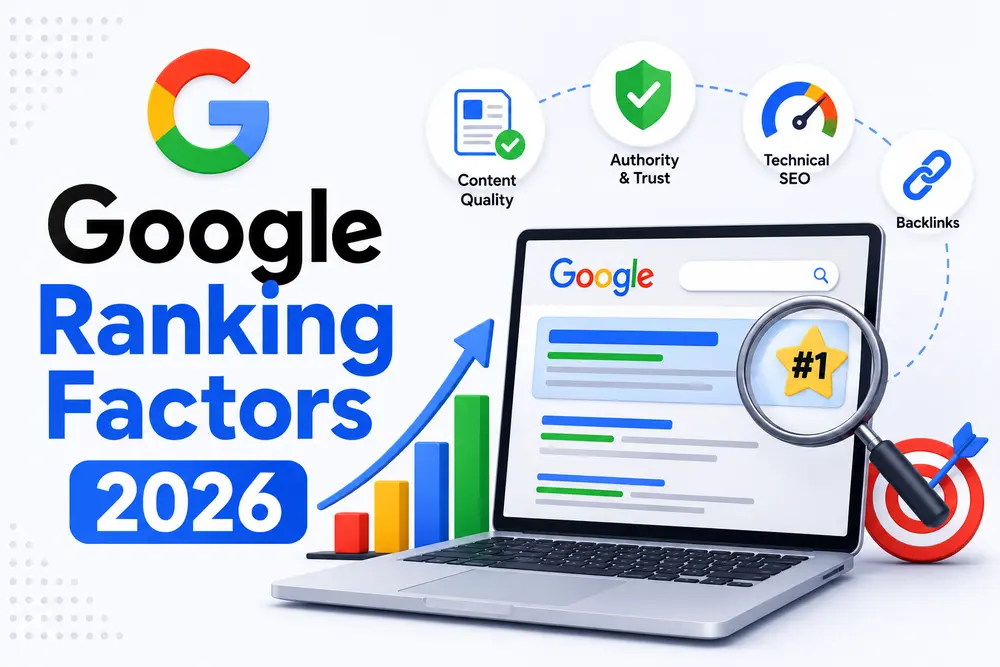
Ask ten different SEOs to list Google ranking factors 2026 and you'll get ten slightly...
Read More →
08Social Media Tools
YouTube Title Counter
YouTube SEO helper
Open toolInstagram Caption Counter
Caption length checker
Open toolTwitter Character Counter
Tweet length checker
Open tool