Technical SEO for Beginners 2026: Everything You Need to Know in Plain English
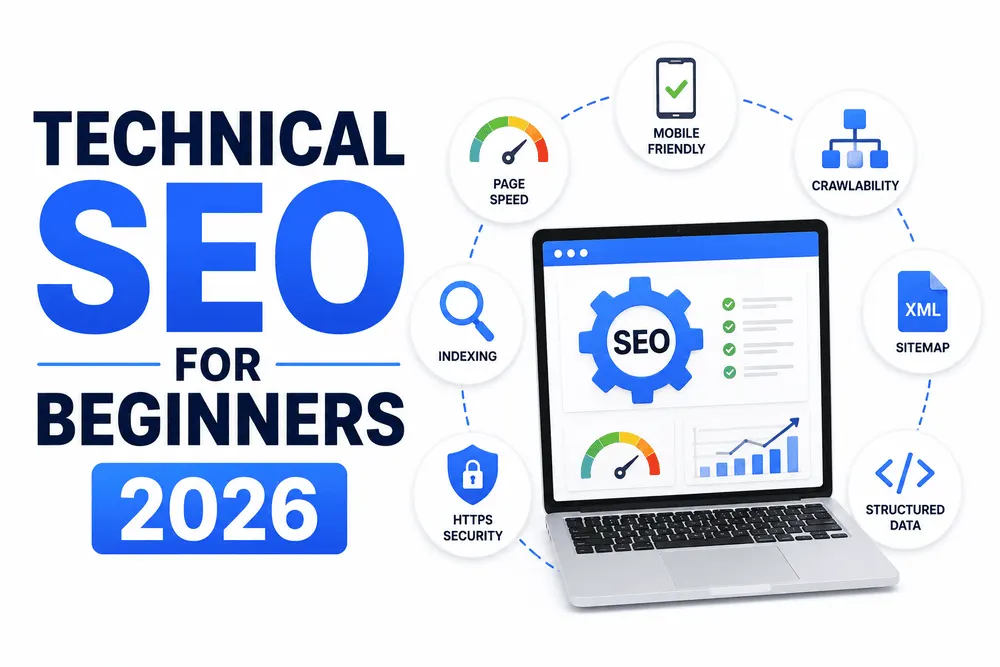
Technical SEO has a reputation for sounding like something only developers should touch full of terms like crawlability, canonical tags, and Core Web Vitals that get thrown around without much explanation. It's not actually that complicated once someone breaks it down properly. This guide does exactly that, in plain English, without assuming you already know what half these words mean.
Think of technical SEO as the plumbing of your website. Nobody visits a house to admire the pipes, but if they're broken, nothing else works properly. Great content on a technically broken site is a bit like a beautifully decorated house with no working plumbing; it looks fine until someone actually tries to use it.
What Technical SEO Actually Means
At its core, technical SEO is about making sure search engines can find your pages, understand what they're about, and load them quickly enough that visitors don't leave before anything appears. It's separate from content and keywords you can write the best article in the world, but if Google can't properly access or understand the page it's sitting on, none of that writing matters.
A lot of the confusion comes from jargon rather than actual complexity. Once you know what the terms mean, most of technical SEO becomes a checklist you can work through methodically.
|
Term |
What It Actually Means |
|
Crawling |
Google's bots visiting your pages to see what's there |
|
Indexing |
Google storing a page in its database so it can show up in search results |
|
Sitemap |
A file listing all your pages, so Google knows what exists |
|
Robots.txt |
A file telling search engines which pages to skip |
|
Canonical tag |
A note telling Google which version of a page is the "main" one |
|
Schema markup |
Code that helps Google understand exactly what a page is about |
|
Core Web Vitals |
Google's way of measuring how fast and stable a page feels to use |
[IMAGE 2 ]
Crawling and Indexing: The Absolute Basics
Before Google can rank a page, two things need to happen. First, Googlebot needs to crawl it basically, a program visits your page the way a browser would. Second, Google needs to decide the page is worth indexing, meaning storing it in the massive database it pulls search results from. A page that isn't indexed simply can't rank, no matter how good the content is.
A few common issues block this process without site owners realizing it. A robots.txt file accidentally blocking important pages is a classic mistake, especially after a site redesign. Broken internal links can strand pages so Googlebot never finds them naturally. And a missing or outdated sitemap can leave new content undiscovered for longer than it should be.
Checking this is simpler than it sounds. Google Search Console shows exactly which pages are indexed, which aren't, and usually why it's one of the most useful free tools a beginner can use, and it directly answers the "is Google even seeing my site properly" question.
Site Speed and Core Web Vitals
Page speed genuinely affects rankings, not just user patience. Slow pages lose visitors before content ever loads, and Google has confirmed speed as a direct ranking signal, especially on mobile. Core Web Vitals is Google's specific way of measuring this, broken into three metrics that sound technical but boil down to fairly intuitive ideas.
|
Core Web Vital |
Plain English Meaning |
Why It Matters |
|
LCP (Largest Contentful Paint) |
How long until the main content actually appears |
Slow LCP feels like a page that's "stuck loading" |
|
INP (Interaction to Next Paint) |
How quickly the page responds when you click or tap something |
Laggy response feels broken, even if the page technically works |
|
CLS (Cumulative Layout Shift) |
Whether elements jump around while the page loads |
Text or buttons shifting mid-read is frustrating and error-prone |
[IMAGE 3 ]
Improving these usually comes down to a handful of practical fixes: compressing images, removing unnecessary scripts, choosing decent hosting, and avoiding heavy design elements that load slowly. None of it requires becoming a developer; most website builders and CMS platforms have built-in tools that flag these issues directly.
Mobile-First and Security Basics
Google predominantly evaluates the mobile version of your site now, not desktop, which means a site that looks great on a laptop but breaks on a phone is in real trouble. Check your own site on an actual phone occasionally, not just a resized browser window the two don't always match.
Security matters too, mainly in the form of HTTPS. This is the padlock icon in your browser bar, and it's become such a baseline requirement that running a site without it hurts both trust and rankings. Most hosting providers offer this for free now, so there's rarely a good reason to skip it.
Schema Markup: Helping Google (and AI) Understand Your Content
Schema markup is code added to a page that explicitly tells search engines what something is: a recipe, an article, a product, an FAQ. Google doesn't strictly require it to rank a page, but it helps enormously with how your content gets displayed and understood, including things like star ratings or FAQ sections appearing directly in search results.
It's also become more important recently for a newer reason: AI Overviews and similar AI-generated summaries lean on structured content to figure out what to cite. A page with clear schema markup and logical headings is simply easier for these systems to parse accurately than one without.
Common Beginner Mistakes Worth Avoiding
A handful of mistakes show up constantly with newer sites, and most are quick fixes once identified.
|
Mistake |
Why It Hurts |
Quick Fix |
|
Accidentally blocking pages in robots.txt |
Google can't crawl what it's told to skip |
Review the file after any site changes |
|
No XML sitemap, or an outdated one |
New content takes longer to get discovered |
Regenerate and resubmit through Search Console |
|
Duplicate content across similar pages |
Confuses Google about which version to rank |
Use canonical tags to indicate the primary page |
|
Ignoring mobile performance |
Most searches and evaluations happen on mobile |
Test the actual site on a real phone regularly |
|
Skipping alt text on images |
Missed accessibility and minor ranking value |
Add short, descriptive alt text to every image |
Wrapping Up
Technical SEO sounds intimidating mostly because of the vocabulary, not the actual work involved. Once you understand that crawling means "Google visiting your page," indexing means "Google storing it," and Core Web Vitals means "does this feel fast and stable to use," most of it becomes a manageable checklist rather than a mystery. Get the foundation right, and everything else content, keywords, backlinks actually has a chance to work the way it's supposed to.
Frequently Asked Questions
1. Do I need to be a developer to handle technical SEO?
Ans. Not for the basics most fixes involve settings in your CMS or hosting dashboard rather than actual coding.
2. What's the difference between crawling and indexing?
Ans. Crawling is Google visiting a page; indexing is Google storing it so it can appear in search results.
3. How do I check if my site has technical SEO problems?
Ans. Google Search Console is free and shows indexing issues, mobile usability problems, and crawl errors directly.
4. Do Core Web Vitals really affect rankings?
Ans. Yes, especially as a tie-breaker between pages with similarly good content quality.
5. Is HTTPS still necessary in 2026?
Ans. Yes, it's a baseline trust and security signal, and most hosting providers offer it free.
6. What is schema markup, and do I really need it?
Ans. It's structured code that helps search engines and AI tools understand your content; not required, but genuinely helpful.
7. How often should I check my site's technical health?
Ans. A monthly review catches most issues before they meaningfully affect rankings.
8. Does technical SEO matter for AI Overviews too?
Ans. Yes, crawlable, well-structured sites are far more likely to get cited in AI-generated search results.